
Choose the format before looking for a download
A mobile browser opens the website without adding a separate Android package. An APK installs software on Android. Safari’s home-screen option creates an entry for a website; it does not, by itself, prove that a native iPhone application exists. A page that uses the word “app” may be describing any of these formats.
| Format | Installation | Update route | Account |
|---|---|---|---|
| Mobile browser | 0 separate app packages | Website plus browser updates | Existing account |
| Android APK | 1 Android package | Authenticated publisher channel | Existing account |
| iPhone home-screen entry | 1 shortcut or web-app entry | Website and Safari | Existing account |
Changing format should not create a second player identity. Keep the same registered contact and check the India access position separately from technical compatibility.

Read an Android release as a software product
Identity first, version second
Start with the publisher and the distribution address. A filename such as “latest.apk” says nothing about the signing identity behind a package. Android uses application identity and signing information to distinguish installations and updates; a copied logo cannot provide that assurance. The operator’s release information should explain the supported Android version, release number and update method.
- Find the app information through an already established operator channel.
- Compare the displayed publisher, package identity and release details.
- Check storage requirements and device compatibility before downloading.
- Read the device’s security assessment and permission request.
- Stop if the file or publisher differs from the described release.
This website does not distribute installation packages. Avoid files offered as modified builds, prediction tools or balance enhancers: those labels describe neither a normal release nor a legitimate way to improve game outcomes.
Keep permission requests proportionate
Permissions should have an understandable relationship to a feature. A notification permission controls alerts; camera access may relate to a documented verification function. Neither means an unrelated person should receive remote control of the device. Treat requests for accessibility control, device administration or an unknown configuration profile as separate decisions requiring a clear explanation.
Do not disable a protection merely because a download page says it is necessary. A warning can arise for different reasons, but replacing the file with a random copy from a message group does not establish its safety. Retain the warning text and ask the identified publisher about that specific release.
Understand the iPhone home-screen route
A shortcut is not an App Store listing
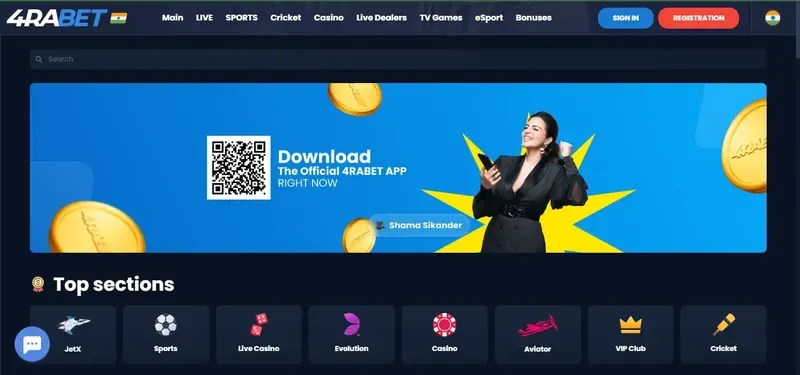
The brand’s published iPhone instructions describe Safari’s home-screen feature. On a supported website, the browser share menu can offer “Add to Home Screen”; labels vary with the operating-system language and version. The resulting icon still points to a web service. It should not be described as a native App Store download unless a corresponding store listing establishes that fact.
- Confirm the website address in Safari.
- Use the browser’s own sharing controls to inspect the home-screen option.
- Review the name and destination before adding the entry.
- Open the icon and confirm that it reaches the expected website.
An Android APK cannot be installed on iOS. Installing an unfamiliar profile is not an equivalent substitute for adding a website shortcut.
Separate an update from an account problem
An update changes software; a password reset changes account credentials. Reinstalling repeatedly cannot resolve every server-side restriction. If the browser works but the app fails, compare the error, app release and device version. If both display the same account notice, follow the login and recovery process.
| Symptom | Useful evidence | Next step |
|---|---|---|
| Package conflict | Installed and proposed package details | Ask the publisher about signing continuity |
| Download incomplete | Available storage and download status | Check the connection and established source |
| Old password appears | Password-manager entry | Update saved credentials |
| Only one game fails | Game name, provider, exact message | Report the game-specific fault |
A current year in a search title is not a release number. Record the actual version shown by the software rather than relying on the label “latest”.
Inspect balances on a smaller screen
Mobile layouts may collapse balance details into a selector. Check whether the amount represents cash, promotional credit or a combined display before interpreting it. A ₹1,500 total formed from ₹1,000 cash and ₹500 promotional credit is not automatically ₹1,500 available for withdrawal. This is an illustration of balance presentation, not a specific account offer.
Open the transaction history when a payment screen seems delayed. Do not submit a second transaction merely because the first animation stopped. Keep the reference number and compare it with the withdrawal status explanation or deposit record.
Control alerts and remove the right thing
Security alerts and promotional notifications serve different purposes. Review notification categories where available and keep unnecessary marketing from creating urgency. Protect the device with a screen lock and sign out before lending it to another person. Shared screenshots should hide account identifiers, security codes and unrelated banking information.
On Android, uninstalling normally removes the local package. Removing an iPhone home-screen icon removes that entry. Neither action is the same as requesting account closure or resolving an outstanding transaction. Preserve useful records first, then use the relevant account controls. If the objective is to stop gambling, account restrictions and support options are described in responsible gaming.
Questions answered
Is the iPhone option the same as the Android APK?
No. APK is an Android package format. The described iPhone route is a Safari home-screen entry, which does not establish a native App Store application.
Where should an app update come from?
Use the established publisher distribution route and check the release identity. An unsolicited forced-download message is not sufficient evidence of an authentic update.
Will removing the app close the account?
No. Device removal and account closure are different actions. Preserve any necessary records and use the account’s own closure process.
Why can the browser work when the app does not?
The app may have a compatibility, session or release-specific problem. Record the exact message and device information before contacting the identified support channel.