
Start with eligibility and an existing-account check
Before evaluating a registration form, establish whether an account is permitted for your age, location and circumstances. An available currency or country-code option does not establish that permission. The India legal guide covers the distinction between a product being described online and real-money access being authorised.
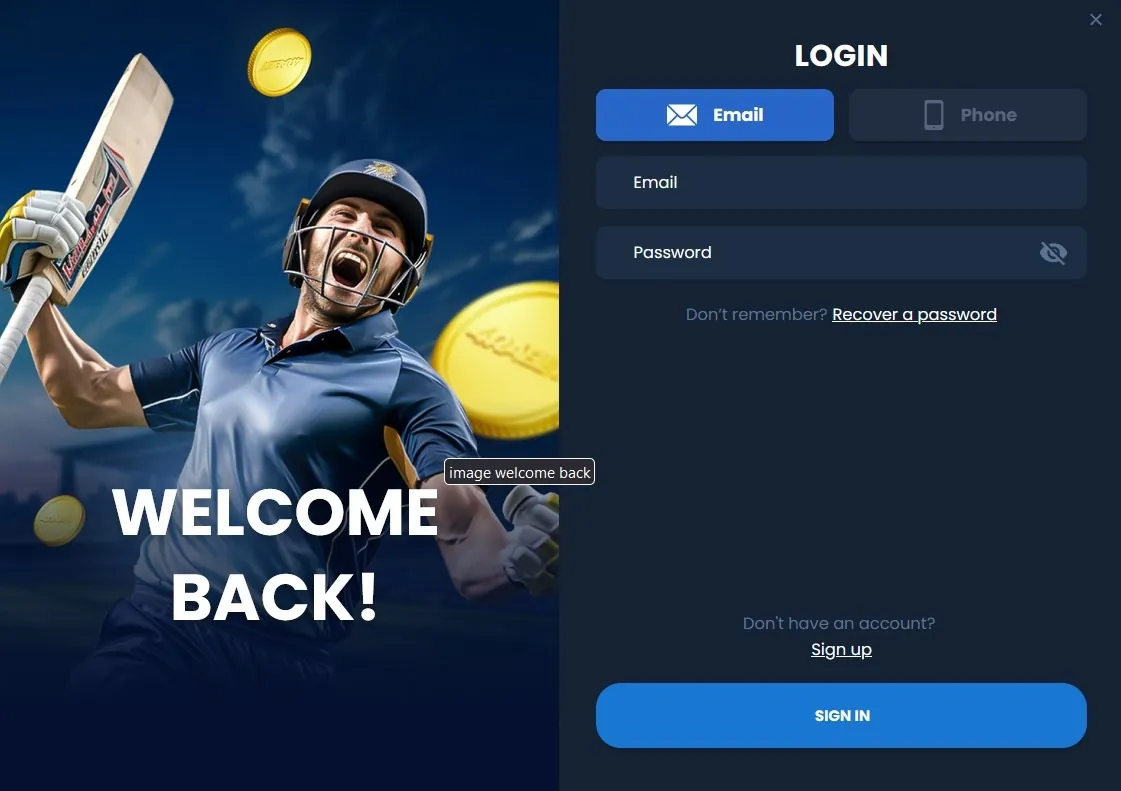
If you already hold an account, a new handset or forgotten password is a recovery issue. Use the existing-account login guide instead of making a second profile. The original account may contain transaction records and unresolved verification requests that a new registration cannot transfer or erase.
A sensible first check is to search your own account records for the registered contact and account identifier. Do not send those records to an outside “registration agent”. The account should remain under the intended holder’s control from the beginning.
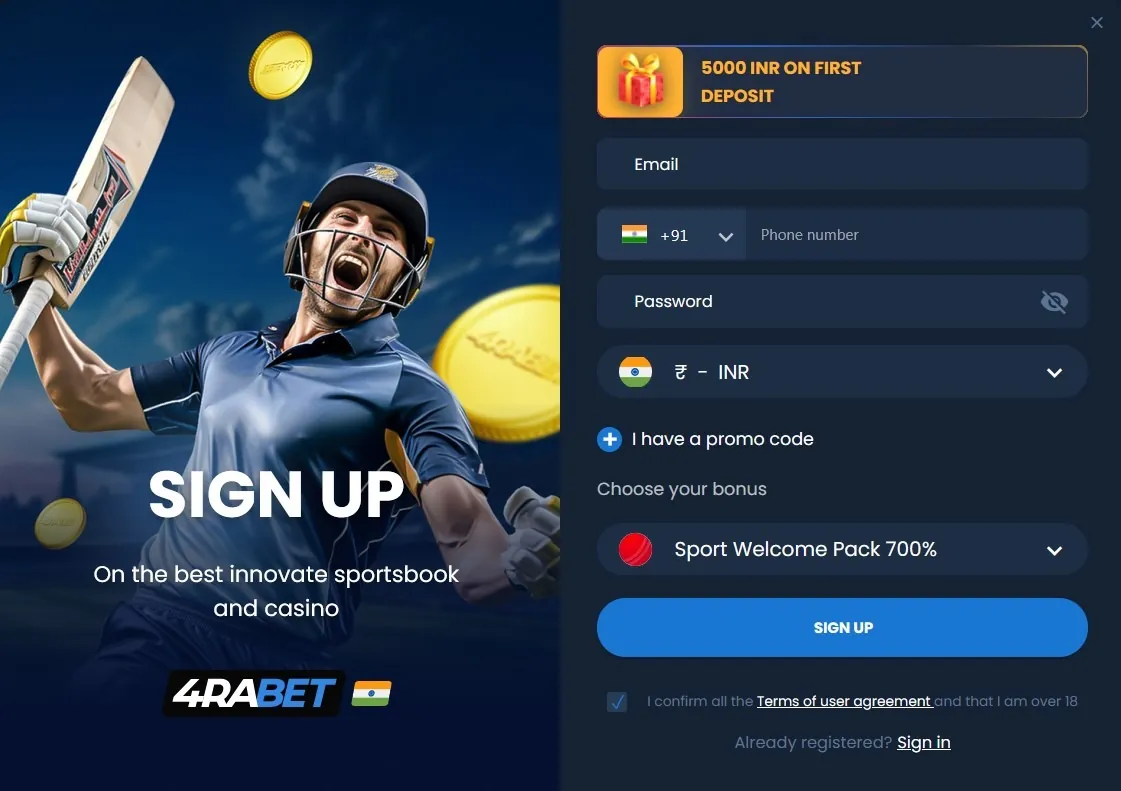
Know what each field records
| Field | Record it accurately | Later use |
|---|---|---|
| Email or phone | Contact controlled by the holder | Confirmation and recovery |
| Password | Unique credential meeting the form’s rules | Account authentication |
| Currency | Chosen account denomination | Balances and conversions |
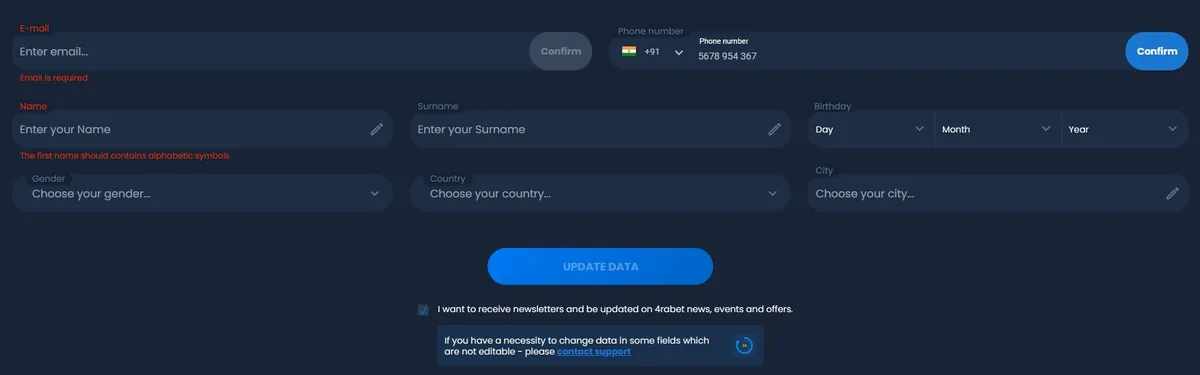
| Name and birth date | Legal identity where requested | Identity review |
| Promotion selection | Optional campaign and its conditions | Bonus eligibility |
Some information may be collected at signup and other details later. Follow the actual field labels rather than treating a screenshot as a permanent specification. A public nickname can differ from a legal-name field, but the latter should match the identity record rather than a social-media alias.
For phone formatting, +91 belongs in the country-code selector when the form supplies one. Entering the prefix twice can create a preventable error. A separate field may expect the national number only; its example should guide the format.
Make the currency decision deliberately
Account currency and payment currency
An INR account displays balances in rupees. It does not mean every underlying payment uses the same currency or that every displayed payment method is available. A token transfer, card conversion or receiving-bank conversion can introduce another unit and an exchange rate.
| Illustrative record | Value | Meaning |
|---|---|---|
| Account denomination | INR | Unit used for the account display |
| Amount requested | ₹2,000 | Value before any separate deduction |
| Amount received | ₹1,975 | Actual credit in this example |
| Difference to reconcile | ₹25 | Not enough by itself to identify the cause |
These figures explain recordkeeping, not a tariff. Check the currency-change policy before submission; do not assume that the setting can be freely changed later. The payment methods guide distinguishes displayed balances, payment rails and conversion.
Keep contact confirmation separate from identity review
Three stages, three different questions
- Account creation: has a profile been registered?
- Contact confirmation: does the holder control the stated phone or mailbox?
- Identity verification: do the supplied identity details meet the account review requirements?
A confirmation message answers only the second question. A profile can therefore open successfully while still showing a pending identity review. Read the status screen and its requested next step instead of assuming that every tick mark means full verification.
Where documents are requested, use the authenticated upload route and read the exact document requirements. Keep all required edges and details visible, avoid alterations and do not send documents through public comments or an unverified messaging account. A rejected image needs an explanation of the defect, not repeated uploads of unrelated documents.
Review the record before and after submission
Small entry errors can become significant when a name, address or date later needs to be reconciled with documents. Review the form as a whole rather than only checking that the password is accepted. If a field cannot represent your actual name or address, ask how to record it correctly; inventing a substitute creates another inconsistency.
- Confirm spelling and the intended contact address.
- Read the selected currency and its change policy.
- Open the terms attached to any optional offer.
- Check the purpose of each consent or notification setting.
- Save the account identifier after a permitted submission.
Do not store a password in the same plain-text note as identity documents. A password manager and a separate transaction-record location serve different purposes and reduce accidental disclosure.
Treat a promotion as a separate agreement
A registration offer can carry product restrictions, expiry and conditions affecting withdrawals. The presence of a promo-code box does not make a code mandatory, and entering a code does not prove that an offer was applied. Confirm the named campaign and its actual status inside the account.
Compare a promotion’s terms with proceeding without that promotion where the service allows that choice. The bonus guide shows how the match percentage, cap and wagering basis interact. Do not create a duplicate account to obtain a new-customer reward or assume that several codes stack together.
When a campaign is targeted, the invitation and the account status matter. A code shared publicly may describe a different region, time period or customer group.
Resolve a failed form without changing identity
Save the error wording and identify the field or stage involved. An email already in use may indicate an existing account; an unavailable country can be an eligibility decision; a contact-confirmation failure can be a delivery issue. These causes need different responses.
- Check for a genuine typing or formatting error.
- Use recovery if the contact already belongs to your account.
- Ask the established support channel about a persistent field problem.
- Retain the case reference and avoid repeated altered applications.
Do not change your birth date, location or identity to force acceptance. After successful account access, review security settings, available limits and closure controls. Registration is not a commitment to make a payment, activate a bonus or continue playing.
Questions answered
Are confirmation and KYC the same?
No. Contact confirmation proves control of a phone or email. Identity review checks the holder’s details and can remain pending after the contact has been confirmed.
Should I register again after losing my password?
Use the recovery process for the existing account. A second registration does not restore the first account’s history or balance.
Is a promo code compulsory?
Not merely because a field exists. The specific campaign determines whether a code or separate activation is required.
Can I assume an INR setting is permanent or freely changeable?
Neither assumption is safe. Read the actual currency policy before submission and obtain clarification if a later change may be needed.